


Key Findings on IDE Secrets Management
-
IDE secrets management refers to securing sensitive data that enters development environments via AI tools, extensions, and runtime diagnostics, a growing risk due to silent background access by modern IDE components.
-
Secrets often enter IDEs through environment variables, embedded configuration files, paste operations, and extensions that store unencrypted tokens, making them vulnerable to unintended exposure.
-
AI agents and IDE extensions can read, store, or leak secrets by default unless strict access scope and sanitization policies are enforced.
-
Storage policies must prohibit plaintext storage and rely on OS-level encrypted systems, while access controls should enforce least privilege and prevent broad scans of sensitive data.
-
A secure framework includes classifying secrets, standardizing IDE configurations, enforcing policies across environments, and continuous monitoring to detect drift, misuse, and exposure patterns early.
How Secrets End Up Inside IDEs
Secrets enter integrated development environments (IDEs) from many different paths, and most of them look harmless at first sight, which is why IDE Secrets Management must account for every intake channel. AI agents and Model Context Protocol (MCP) servers automatically read files, ingesting metadata and environment variables that are not always visible to developers. Clipboard tools and shared system buffers can unintentionally transfer sensitive values into the editor. Local history and autosave mechanisms preserve secret text even after deletion, allowing extensions to read cached content. Extensions rely on tokens to authenticate to GitHub, cloud services, container registries, or AI providers.
Developers sometimes paste secrets into editors to test something quickly, unaware that these values remain stored in the undo history or log files. Shared clipboards allow tokens to move between browsers, operating systems, and IDEs without restrictions. Diagnostic tools sometimes return sensitive data in error responses. Each of these pathways brings secrets into the IDE without proper tracking or control.
To reinforce the scale of this problem, industry surveys consistently show that cloud security incidents involving misconfigured accounts or leaked credentials remain widespread, underscoring how easily secrets can move into development environments without detection. Industry reports show that cloud-security incidents are common. For instance, IBM’s 2024 X-Force Threat Intelligence Index reports that stolen or misused credentials were the leading initial access vector, accounting for 30% of all incidents. Meanwhile, Cloud Security Alliance’s 2024 study found that 95% of surveyed organizations had experienced a cloud-related breach in the previous 18 months, and 99% of those cited insecure identities as the primary cause. These findings show that credential exposure in development environments remains a significant and well-documented risk.
Environment Variables Read by AI Tools
Many AI tools automatically read environment variables when generating suggestions or running background tasks. This includes .env files placed in project folders and variables inherited from the OS shell. These values often include API keys, database passwords, cloud tokens, and service credentials. When AI agents load project context, they may treat these variables as part of the execution environment and ingest them into their internal prompts. This makes accidental exposure possible if the agent sends logs or context to external APIs.
Because many IDE extensions and AI assistants inherit environment variables by default, they can read a broader workspace context unless their permissions are explicitly restricted. This behavior creates uncontrolled access paths that most teams do not monitor, underscoring the importance of limiting exposure to the environment in IDE settings. Microsoft’s Copilot documentation explains that AI assistants may access files, settings, or contextual information depending on granted permissions, and organizations must explicitly restrict environment access through secrets storage policy settings.
Embedded Secrets in Code or Config
Even small code fragments containing API keys or passwords tend to remain in multiple IDE storage layers. Autosave files, indexing caches, and undo histories all retain these values, even after the developer deletes them from the active editor window. This persistent storage behavior makes embedded secrets one of the most complex forms of exposure to detect and eliminate.
Hardcoded secrets still appear inside scripts, test files, and quick debugging snippets. Even a temporary paste can leave traces in autosave files or the editor history. IDE file indexing can expose these values to any extension that scans the workspace. Git history may also capture these secrets if the file was committed or staged. JetBrains and GitHub both warn that hardcoded secrets remain one of the highest-risk exposure patterns. AI coding assistants can also read these values when generating suggestions. This makes embedded secrets a reliable and persistent leak vector inside IDEs.
IDE Extensions Storing Tokens
Many IDE extensions store tokens locally so they can authenticate without asking the user each time. These include GitHub integrations, cloud CLI helpers, container registries, and AI assistant plugins. Some extensions even store OAuth tokens in plaintext JSON files under the user profile. Research from 2024 focusing on how to “protect your secrets,” shows that multiple VS Code extensions saved authentication data without encryption. The referenced arXiv preprint analyzes security weaknesses in LLM-integrated development workflows, including risks of credential exposure through automated log ingestion and environment-variable leakage. Its findings reinforce the need for IDE-level visibility and strict context controls when AI agents interact with workspace data. Developers rarely inspect these folders because they assume the IDE enforces secure storage.
Tools based on JetBrains sometimes use browser-like cookie storage, increasing the risk of exposure. Once stored, tokens can be read by other extensions with similar permissions. These patterns show that the security of IDE extensions must treat local token storage, cookie-like session caches, and inter-extension access as high-risk surfaces rather than as harmless usability features.
MCP Servers Returning Sensitive Data
MCP responses frequently include expanded diagnostic metadata that reflects the runtime state of tools and services. This metadata may include environment variables, token identifiers, or partial credentials, which makes the raw MCP output a sensitive asset that requires strict filtering.
MCP servers often return runtime diagnostics that include environment values, token names, or authentication errors. These responses are entered into the IDE as structured output and may be logged to local storage. Developers may not realize that these logs remain accessible to other extensions. Misconfigured tools can also return secrets during debugging sessions or error traces. AI agents that request MCP output may ingest these traces as context. This creates a chain in which secrets move between components without any tracking controls. Without explicit filtering, MCP responses become a silent vector for leaks.
Paste Operations and Clipboard Leaks
Developers often paste API keys or tokens into editors “just for a moment” while testing. Operating systems use shared clipboards across browsers, terminals, and IDEs, so secrets move automatically between tools. Clipboard managers store historical entries unless manually disabled. AI assistants can read text from the active editor buffer, including recently pasted credentials. VS Code stores undo history by default, which retains sensitive text even after deletion. JetBrains IDEs also preserve temporary buffers unless explicitly purged. This makes paste operations one of the easiest ways for secrets to leak.
To reduce this risk, developers can disable shared clipboards, turn off clipboard history, and limit cross-application paste synchronization in their operating system settings. IDEs also allow users to clear undo stacks and disable extended autosave features, offering practical controls that reduce the time-sensitive text that remains in memory.
Framework: Policies for IDE Secrets Storage & Scope
A security framework for IDE secrets must define how secrets are stored, how access is scoped, how long tokens live, and how exposure is prevented. These policies help stop accidental leaks across extensions, MCP servers, and AI agents. Enforcing them also reduces the blast radius if one plugin becomes compromised. These rules must apply to all development environments, not just production systems. Teams must enforce consistent settings across IDE distributions and workspace templates. Short-lived tokens reduce the risk of long-term compromise. Clear boundaries prevent AI tools and extensions from reading irrelevant secrets.
Storage Policies
Secrets must never be stored in plaintext within project trees, as any extension can read them. OS-level encrypted storage systems like Apple Keychain, Microsoft DPAPI, or GNOME Keyring provide safer alternatives. Extensions should hash or encrypt the tokens they store locally. Master credentials for vaults should never be kept on local development machines. Developers must clear undo history and autosave files after temporarily pasting. Scanning tools should verify that no .env or token file exists in unprotected directories. This ensures that only encrypted storage paths hold sensitive data.
Access Scope Policies
Access to secrets must follow strict least-privilege rules. Each extension should receive only the minimal permissions required to function. MCP servers must not read global environment variables unless explicitly allowed to do so. AI agents should receive only partial context instead of full project scans. Developers must authenticate with scoped tokens that restrict what the IDE can access. OS controls should block broad read access to all environment variables. Short-lived and limited-scope credentials prevent uncontrolled exposure.
Token Lifespan Policies
Tokens should be rotated frequently to limit the damage from accidental leaks. Development environments should rely on temporary, or ephemeral, credentials rather than long-lived keys. Refresh tokens should be disabled or restricted on local machines. IDE extensions must request new tokens instead of reusing old ones indefinitely. Teams should track token age and enforce expiration rules. Tools should delete expired tokens automatically. This reduces the chances that leaked secrets remain valid.
Exposure Prevention Policies
AI agents should not automatically read .env files, as they often contain sensitive values. IDEs must sanitize or filter the context before sending it to any AI tool. Teams should disable the “auto include project context” feature in sensitive environments. MCP servers must remove sensitive fields from diagnostic output. Extensions should not log secret values at any level. Teams must also account for prompt injections and IDE assistants, where crafted prompts inside code, comments, or logs can trick AI tools into exfiltrating secrets or bypassing standard safeguards. Clipboard management tools must clear sensitive content quickly. These practices help block the main routes through which secrets leak. Exposure prevention precedes token lifecycle management because reducing leak probability is the first and most critical defense in IDE environments.
Detecting and Auditing Secret Exposure in IDEs
Detecting secret exposure in IDEs requires active inspection, as most leaks do not produce visible symptoms. Many issues begin with plaintext tokens sitting unnoticed inside IDE configuration folders where extensions store local state. Teams must manually inspect these directories because several extensions keep OAuth tokens, session identifiers, and service credentials in unencrypted form. Secret exposure also happens when developers place .env, .pem, .p12, or .key files in project trees that AI agents scan by default. Git hooks can help detect committed secrets, but they cannot identify items that enter the IDE through paste buffers or autosave files. Additionally, AI agent logs sometimes reveal unexpected token strings, indicating that the agent ingested sensitive values indirectly.
Organizational Playbook for IDE Secrets Management
It is essential to build secret management in IDEs as a program, not a checklist. Classify what counts as a secret, standardize a secure IDE configuration, enforce it across environments, and continuously monitor for drift and misuse.
Step 1: Create a Secrets Classification Scheme
A secrets classification scheme helps teams understand what types of information require protection inside IDEs. A secret can include API keys, OAuth tokens, SSH keys, database credentials, or internal access tokens that grant privileges. Each category must have precise storage requirements so developers know whether the item belongs in an encrypted vault, a temporary scope, or an ephemeral runtime variable. Teams must define handling rules for high-sensitivity secrets because these items should never appear in editor buffers or workspace files. The classification should also state how long each class of secret may remain valid before rotation is required.
Step 2: Standardize IDE Config Policies
Standardizing IDE configuration policies ensures that every environment follows exact security requirements. Teams must apply centralized configuration controls to prevent developers from installing unapproved extensions that store tokens insecurely. Pre-approved extension lists ensure that only trusted tools can interact with sensitive workspace data. Organizations must use an allowlist for MCP servers because uncontrolled servers can request environment variables or diagnostic outputs that contain secrets. IDE policies should enforce restricted access to the environment context so agents do not ingest token values during background scans. Standard settings files for VS Code and JetBrains ensure that encryption features, telemetry restrictions, and debugging limitations remain consistent across both. Ultimately, a standardized configuration removes guesswork and reduces the likelihood of accidental exposure.
Step 3: Enforce Policies Across All IDEs
Enforcement ensures that security policies are implemented in real developer environments. Teams can distribute workspace templates that already contain secure defaults and prohibit risky project-level overrides. Organization-wide VS Code configuration JSON files can enforce strict rules governing file access, extension privileges, and environment exposure. JetBrains policy distributions help enforce controlled plugin lists and limit network behavior within the IDE. Enforcement also ensures that no developer modifies global settings to bypass security controls. When policies are applied automatically, developers spend less time configuring tools and more time focusing on secure coding. Vigorous enforcement is the key to achieving consistent security posture management across diverse environments.
Step 4: Continuous Monitoring
Continuous monitoring is essential because IDEs change frequently as developers install new extensions or modify local settings. Drift detection helps identify when someone alters configuration files or disables necessary restrictions. Token misuse monitoring allows security teams to catch unusual access attempts that may indicate an extension reading sensitive data. Effective monitoring should also help teams detect malicious IDE extensions that exfiltrate secrets, alter security settings, or issue unexpected network requests. Alerts should trigger when the IDE displays abnormal behaviors, such as repetitive network calls from extensions that typically operate offline. Monitoring must also cover AI agents because they consume large amounts of context and may inadvertently handle secrets. MCP interactions should be reviewed for unusual diagnostic payloads or environment variable leakage. Continuous monitoring turns static security into a living system that adapts to ongoing developer activity.
Protect Secrets in Your IDE with Kirin
Traditional secrets managers focus on application runtime and infrastructure layers, but they overlook the IDE where developers work every day. Modern IDEs run AI coding agents, MCP servers, and automation extensions that access secrets long before code reaches production. This creates a hidden attack surface where tokens and sensitive values can leak through project scans, extension logs, and diagnostic responses.
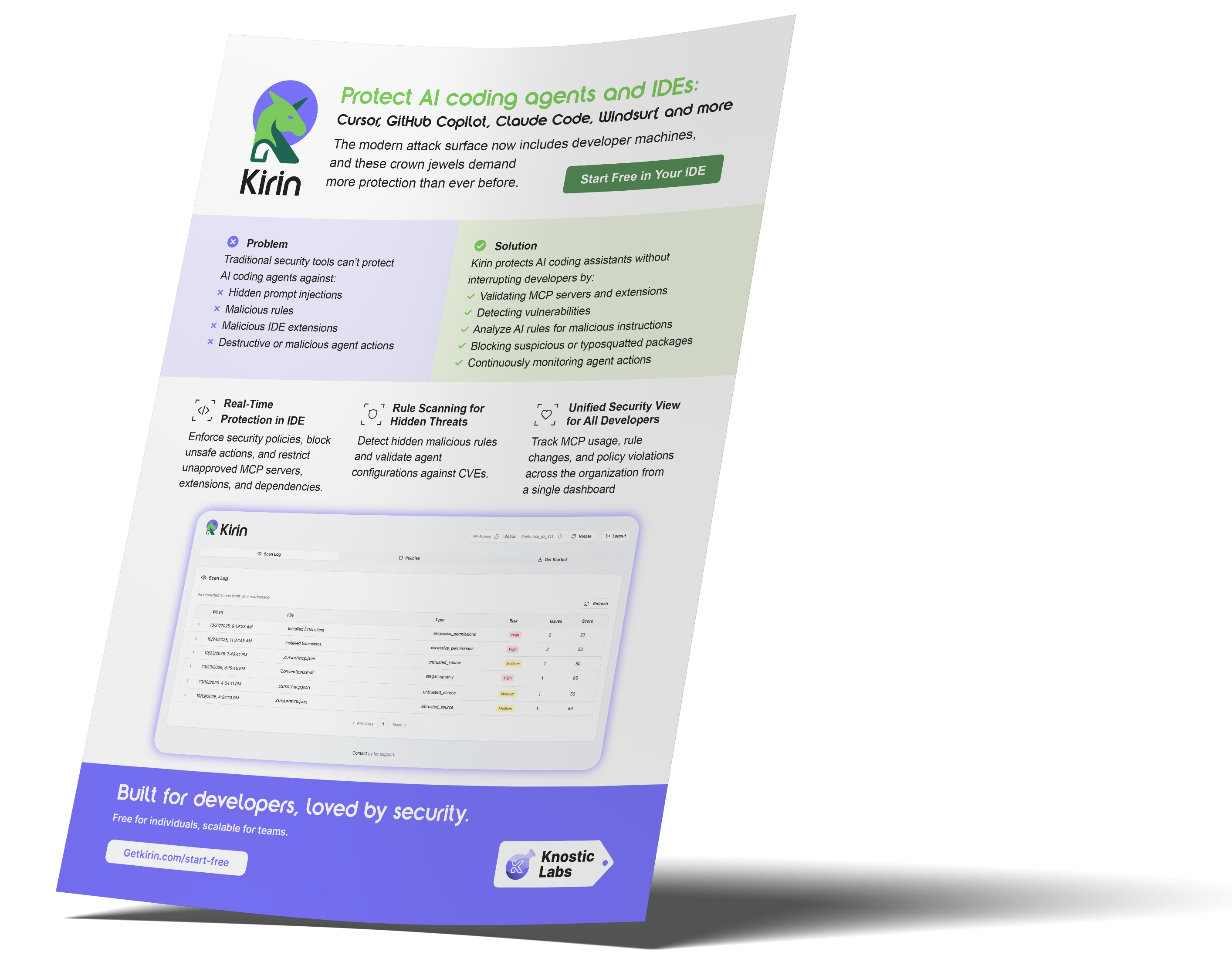
Kirin by Knostic Labs reduces this risk by directly monitoring the IDE environment and enforcing strict boundaries on how secrets are accessed. It provides visibility into unsafe extensions and detects when tools read or store secrets in an insecure manner. Kirin also prevents context leakage from AI assistants by blocking sensitive values before they enter external inference pipelines. With real-time protection, Kirin stops secret exposure at the point where it most often begins. Protect your secrets before an extension or AI agent exposes them.
FAQ
- Why do secrets leak so easily inside IDEs?
Secrets leak because IDEs automatically scan files, environment variables, and project folders through extensions, AI agents, and MCP servers. Many of these tools access data silently, so sensitive values move into the IDE without clear warnings.
- What are the most common signs that secrets are exposed in an IDE?
Plaintext tokens in IDE folders, unexpected values in AI agent logs, or unusual network activity from extensions often signal exposure. Secrets appearing in undo history or project trees are also strong indicators of leakage.
- How can teams enforce proper secrets storage and scope inside IDEs?
Teams must centralize IDE policies so that only encrypted storage, scoped tokens, and approved extensions can operate. Continuous monitoring and enforcing workspace templates ensures that secrets stay controlled and properly isolated.
Subscribe to our blog!

Data Leakage Detection and Response for Enterprise AI Search
Learn how to assess and remediate LLM data exposure via Copilot, Glean and other AI Chatbots with Knostic.


The Data Governance Gap in Enterprise AI
See why traditional controls fall short for LLMs, and learn how to build policies that keep AI compliant and secure.

Rethinking Cyber Defense for the Age of AI
Learn how Sounil Yu’s Cyber Defense Matrix helps teams map new AI risks, controls, and readiness strategies for modern enterprises.

Extend Microsoft Purview for AI Readiness
See how Knostic strengthens Purview by detecting overshared data, enforcing need-to-know access, and locking down AI-driven exposure.

Build Trust and Security into Enterprise AI
Explore how Knostic aligns with Gartner’s AI TRiSM framework to manage trust, risk, and security across AI deployments.

Real Prompts. Real Risks. Real Lessons.
A creative look at real-world prompt interactions that reveal how sensitive data can slip through AI conversations.

Stop AI Data Leaks Before They Spread
Learn how Knostic detects and remediates oversharing across copilots and search tools, protecting sensitive data in real time.
Accelerate Copilot Rollouts with Confidence
Equip your clients to adopt Copilot faster with Knostic's AI security layer, boosting trust, compliance, and ROI.

Reveal Oversharing Before It Becomes a Breach
See how Knostic detects sensitive data exposure across copilots and search, before compliance and privacy risks emerge.

Unlock AI Productivity Without Losing Control
Learn how Knostic helps teams harness AI assistants while keeping sensitive and regulated data protected.

Balancing Innovation and Risk in AI Adoption
A research-driven overview of LLM use cases and the security, privacy, and governance gaps enterprises must address.

Secure Your AI Coding Environment
Discover how Kirin prevents unsafe extensions, misconfigured IDE servers, and risky agent behavior from disrupting your business.