


Fast Facts on MCP Security
-
The Model Context Protocol (MCP) enables AI agents to securely access tools, APIs, and files by standardizing the way capabilities are requested and exposed.
-
Its flexible client-server design streamlines development but introduces serious risks if not adequately secured, especially from spoofed servers and unsafe command execution.
-
Key threats include malicious MCP servers, over-privileged agents, prompt injection, unverified plugins, and insecure credential storage.
-
Poor MCP security can lead to unauthorized code execution, data breaches, and configuration errors that spread across shared development environments.
-
Best practices include validating endpoints, enforcing least privilege, isolating environments, scanning plugins, and continuously auditing agent-server interactions to ensure security.
Defining Model Context Protocol in GenAI
The Model Context Protocol (MCP) serves as a bridge that enables LLMs and AI coding agents to communicate securely with tools, files, and APIs. MCP security refers to the set of controls that ensures the trustworthiness of this bridge. In simple terms, the MCP standardizes how agents request capabilities and how servers expose them, allowing the agent to read a repository, query a database, or predictably call a build tool. Think of it like a standardized USB-C for AI: one port, many peripherals, but with clear rules for what can be plugged in and how.
MCP is rapidly becoming a backbone for AI developer tools because it removes bespoke glue code and enables reusable integrations across IDEs and agent frameworks. If a malicious or spoofed server gains access to the chain, it can influence what the model “sees,” what it executes, and what it writes back.
The thesis is straightforward. If you don’t secure your MCP layer, you cannot maintain the trusted computing base (TCB) integrity of your code-generating agents. To ground this in current practice, the maintainers of the Model Context Protocol, coordinated through the OpenAI Model Context Protocol Specification and its public GitHub repository, describe it as an open standard that connects AI apps to external systems and workflows through a client-server model.
Vendors and open-source projects are adopting MCP to reduce one-off integrations and make agent capabilities portable across environments. That portability is valuable for platform teams that need consistent guardrails across multiple IDEs and agent frameworks.
However, organizations that treat MCP as “just another plugin interface” often miss the governance and validation steps needed at the boundary. A secure MCP baseline requires identity, trust verification, and scoped permissions before agents are allowed to act.
How MCP Works
MCP uses a client–server architecture, where the client is your agent or IDE, and the server exposes capabilities such as tools, file systems, search, or organization-specific APIs. The client requests capabilities and sends structured queries; the server advertises its capabilities and returns structured results. These exchanges rely on the JSON-RPC standard, which enables developers to extend or modify functionality without requiring the rewriting of existing components.
JSON-RPC’s simplicity makes it easy to layer new commands or tools, but it also introduces risk because it lacks built-in authentication or encryption by default. Communications commonly follow JSON-RPC patterns with typed requests and responses, which makes it easy to add new tools without changing core agent code. In practice, teams wire MCP into IDE plugins, local or remote servers, shell commands, and third-party developer services, creating a flexible mesh of capabilities.
For security, all MCP traffic should pass through a secure transport layer such as mutual TLS to authenticate both the client and the server and prevent interception or spoofing. That mesh is robust because it allows agents to chain tasks, like read a file, run a command, parse output, and open a pull request. It is also risky because a compromised or spoofed MCP server can become the eyes and the hands of your agent, deciding what data is visible and which commands get executed. Resilient MCP security, therefore, starts with endpoint verification, scoped permissions, and continuous audit of the agent-server dialogue.
MCP Security Issues and Threat Scenarios
As MCP becomes integral to AI-driven development, security risks demand proactive threat modeling and enforcement strategies.
Malicious or Impersonated MCP Servers
A fake or compromised MCP server can issue unsafe instructions or exfiltrate data without your knowledge. Many MCP servers lack strong identity verification or trust chain enforcement. An attacker could replace a legitimate server in the registry and get full access to agent interactions. Because MCP servers often integrate deeply (file system, shell commands), the potential damage from impersonation is high. Weak or absent certificate checks increase the risk of man-in-the-middle attacks on MCP channels.
According to a 2025 open-source MCP ecosystem analysis published by Cornell University, “tool-poisoning vulnerabilities” refer to cases where modified servers inject or alter tool outputs to change agent behavior. For example, this may involve returning falsified file content or command responses that mislead downstream processes. This particular study, of 1,899 open-source MCP servers, found that 5.5% exhibited tool-poisoning vulnerabilities, instances where modified or malicious servers altered tool outputs, injected false command responses, or redirected data flows to unauthorized endpoints.
Over-Privileged Agent Permissions
If agents or IDE integrations grant MCP servers broad access (file system, network, shell), they create huge risk zones. Configurations that grant “all-access” permissions without scoping are particularly hazardous in enterprise settings. Privileges granted to agents often persist across workspaces and tools, meaning a breach affects more than one context. Many MCP implementations neglect least-privilege design, which can lead to internal misuse or accidental damage. This is because MCP servers can chain tool calls, allowing an over-privileged permission to cascade into network access, shell commands, or data exfiltration.
A 2025 Stack Overflow Developer Survey shows that 84% of professional developers use or plan to use AI tools daily, highlighting the importance of granular permissioning. When these tools (via MCP) are granted “all-access” to files, the shell, and the network, the potential damage increases manifold. Yet, the data shows that many teams are not applying least-privilege.
Prompt Injection and Command Chaining
Malicious instructions can be embedded in tool responses or documentation served by MCP servers, tricking the model or agent. After being tricked, the agent may invoke unwanted commands or chain further actions without human oversight. Because MCP supports chaining of tools, a small injection at the start can lead to multi‐step attacks across systems. Models may implicitly trust tool descriptions or metadata and execute actions that the developer never intended. Prompt injection in an MCP context allows attackers to bypass traditional guardrails because the protocol treats tool access as “trusted”.
Unvalidated Plugin Installations
Community MCP extensions may install hidden commands or malware that exploit the protocol’s trust model. The ecosystem of MCP servers and tools is still maturing, and there is often no robust vetting process for new plugins. Attackers can publish lookalike tools or servers that appear legitimate but carry malicious payloads. When these plugins are approved, the agent may invoke them just because they appear in the registry.
The implicit trust is a vulnerability. Because plugins can gain access to the agent execution context, a malicious plugin can redirect APIs, read files, or run shell commands.
Config Storage
Storing secrets, tokens, or credentials in environment variables or config files accessible to MCP servers is risky. Misconfigured local caches or log files may expose API keys, database credentials, or other sensitive data to the agent or server. Because MCP servers often run with elevated permissions, any misstored credential becomes a prime target for attackers. The protocol does not enforce specific storage practices by default; it relies on implementers to secure their environment. When secrets are leaked via an MCP channel, it can lead to broader system compromise, including pivoting into internal systems.
6 Best Practices for MCP Security
Run MCP as a zero-trust system, so only the right servers interact with the right data. Every connection is verified, work runs in clean sandboxes, and the IDE maintains policy and monitoring at all times.
Enforce Least-Privilege Access
Each MCP server should have access only to the tools and folders it truly needs. Overly broad permissions expose critical data and system functions. Set clear boundaries for each agent and workspace to minimize accidental overreach. Access rules should be reviewed whenever configurations or extensions change. Least privilege ensures that even if a misbehaving tool compromises a system, it cannot compromise the entire environment.
Validate MCP Servers and Certificates
Every MCP connection must be verified before it is used. Signed and trusted endpoints prevent impersonation or man-in-the-middle attacks. Developers should maintain an allowlist of approved MCP servers and verify certificates on every connection. Hashes can confirm that plugins or tools have not been changed after approval. Consistent verification builds a trusted foundation for all agent–server interactions.
Isolate Execution Environments
Agents and MCP servers should run in their own secure environments. Using sandboxed or ephemeral containers stops one compromised task from affecting others. Each session should reset completely after completion to remove leftover data or credentials. This isolation limits the extent to which an attacker can move within a development system. It also facilitates faster cleanup and recovery in the event of an incident.
Monitor and Audit MCP Traffic
All agent-server communications should be logged and auditable. Continuous monitoring helps identify abnormal activity early. Sudden bursts of file writes, repeated API calls, or unusual outbound connections are warning signs. Logs must be stored safely and reviewed regularly to spot hidden issues. Auditing ensures transparency and helps teams prove compliance with internal security policies.
Scan Plugins and Configurations
Before deploying any MCP plugin or configuration, it should be scanned for known MCP server vulnerabilities. Automated tools can compare extensions against public vulnerability databases and internal allowlists. Rule-based validation can flag unsafe commands or unknown parameters, thereby ensuring the system's integrity and reliability. Regular scanning helps maintain clean, trusted configurations across all development tools. It also prevents untested community plugins from introducing malicious code.
Apply Policy Enforcement and Continuous Validation
Security policies should be active, not static documents. Automated guardrails within IDEs enforce approved actions and block risky behavior in real-time. Continuous evaluation of MCP connections helps detect unauthorized configuration drift and policy violations early. Policy updates should be applied automatically as new threats emerge. Together, these measures keep the MCP environment aligned with enterprise security goals.
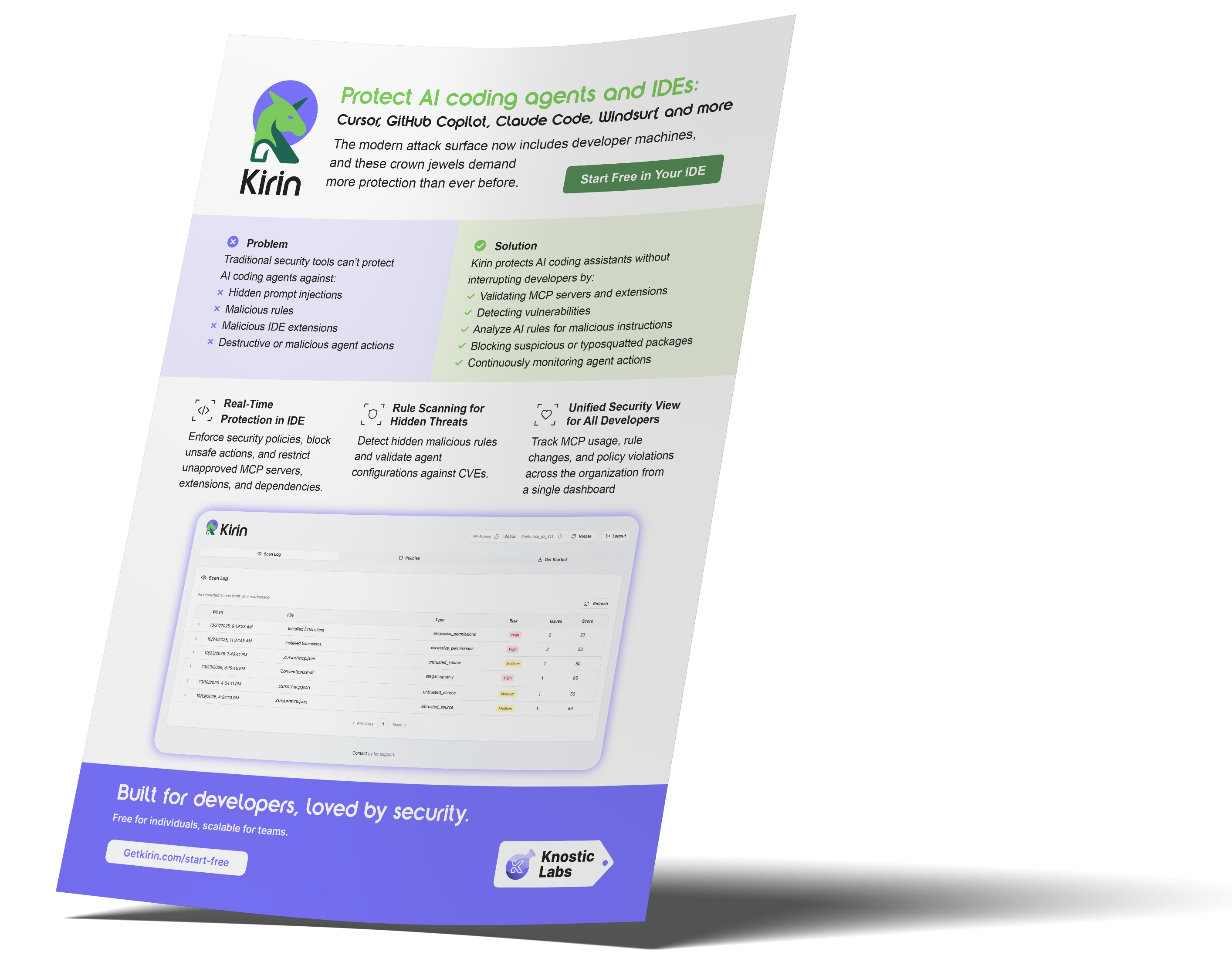
Integrating Kirin from Knostic for MCP Security
Here’s a breakdown of how Kirin secures AI development environments:
-
Traditional endpoint protection cannot see what happens inside AI development environments.
-
Kirin from Knostic secures the internal layers where MCP interactions occur.
-
Pre-load validation verifies MCP servers and IDE extensions before they are loaded, blocking untrusted components.
-
Policy enforcement: applies security rules via lightweight IDE instrumentation and external configuration scanning for full coverage of agent behavior and environment settings.
-
Rule/config scanning detects hidden or unsafe instructions that could bypass regular checks.
-
Real-time protection instantly blocks malicious or risky actions while keeping legitimate workflows uninterrupted.
In addition, rather than replacing existing SDLC-integrated security tools, Kirin complements them by providing real-time visibility and enforcement within the IDE layer, where traditional DevSecOps controls have limited reach. The unified dashboard gives AppSec and DevSecOps teams a clear view of all agent and IDE activity.
What’s Next
Securing the MCP layer is only the beginning of protecting AI-driven development. Next, discover how Kirin's features safeguard MCP connections and AI coding agents, and fosters trust throughout the entire development ecosystem.
FAQ
-
What are the most common MCP security risks?
The primary risks include unverified or spoofed MCP servers, overly privileged agents, malicious plugins, and unsafe configurations. Each can enable unauthorized code execution or data leakage if not controlled.
-
How can developers secure MCP configuration in their IDEs?
Developers should validate all MCP endpoints, store secrets safely, and restrict each configuration to specific trusted workspaces. Using built-in IDE security settings and verifying plugin integrity are essential steps.
-
Can traditional endpoint or antivirus tools protect MCP connections?
Traditional endpoint tools monitor files and networks, but cannot see into IDE-level agent interactions. MCP requires dedicated visibility and policy enforcement tools within the development environment itself.
-
What are the MCP security best practices for continuous monitoring?
Adopt continuous monitoring, automatic policy enforcement, and scheduled configuration reviews using the MCP community and GitHub-maintained validation utilities such as schema checkers and plugin integrity scripts. Keep agent and plugin updates under strict change control, and isolate each MCP workspace to ensure consistency and maintainability. These practices maintain a stable, compliant, and secure development ecosystem.
Subscribe to our blog!
Data Leakage Detection and Response for Enterprise AI Search
Learn how to assess and remediate LLM data exposure via Copilot, Glean and other AI Chatbots with Knostic.


The Data Governance Gap in Enterprise AI
See why traditional controls fall short for LLMs, and learn how to build policies that keep AI compliant and secure.

Rethinking Cyber Defense for the Age of AI
Learn how Sounil Yu’s Cyber Defense Matrix helps teams map new AI risks, controls, and readiness strategies for modern enterprises.

Extend Microsoft Purview for AI Readiness
See how Knostic strengthens Purview by detecting overshared data, enforcing need-to-know access, and locking down AI-driven exposure.

Build Trust and Security into Enterprise AI
Explore how Knostic aligns with Gartner’s AI TRiSM framework to manage trust, risk, and security across AI deployments.

Real Prompts. Real Risks. Real Lessons.
A creative look at real-world prompt interactions that reveal how sensitive data can slip through AI conversations.

Stop AI Data Leaks Before They Spread
Learn how Knostic detects and remediates oversharing across copilots and search tools, protecting sensitive data in real time.
Accelerate Copilot Rollouts with Confidence
Equip your clients to adopt Copilot faster with Knostic's AI security layer, boosting trust, compliance, and ROI.

Reveal Oversharing Before It Becomes a Breach
See how Knostic detects sensitive data exposure across copilots and search, before compliance and privacy risks emerge.

Unlock AI Productivity Without Losing Control
Learn how Knostic helps teams harness AI assistants while keeping sensitive and regulated data protected.
Balancing Innovation and Risk in AI Adoption
A research-driven overview of LLM use cases and the security, privacy, and governance gaps enterprises must address.

Secure Your AI Coding Environment
Discover how Kirin prevents unsafe extensions, misconfigured IDE servers, and risky agent behavior from disrupting your business.